Contests Categories
The Contests Category Management section allows administrators to organize and maintain contests topics efficiently. Each category can have a custom title and image, enabling easy recognition and filtering of contests content.
Category Overview
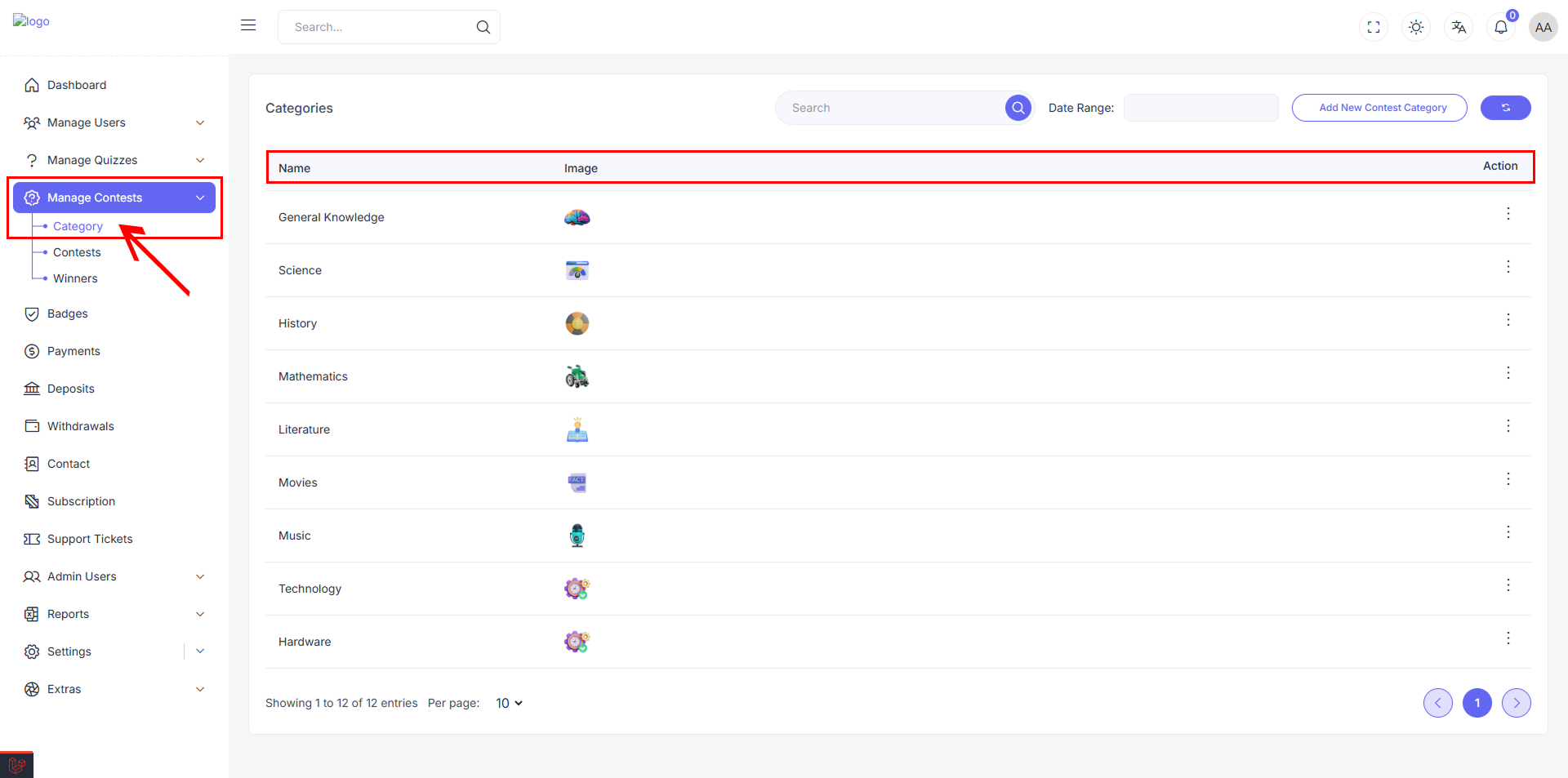
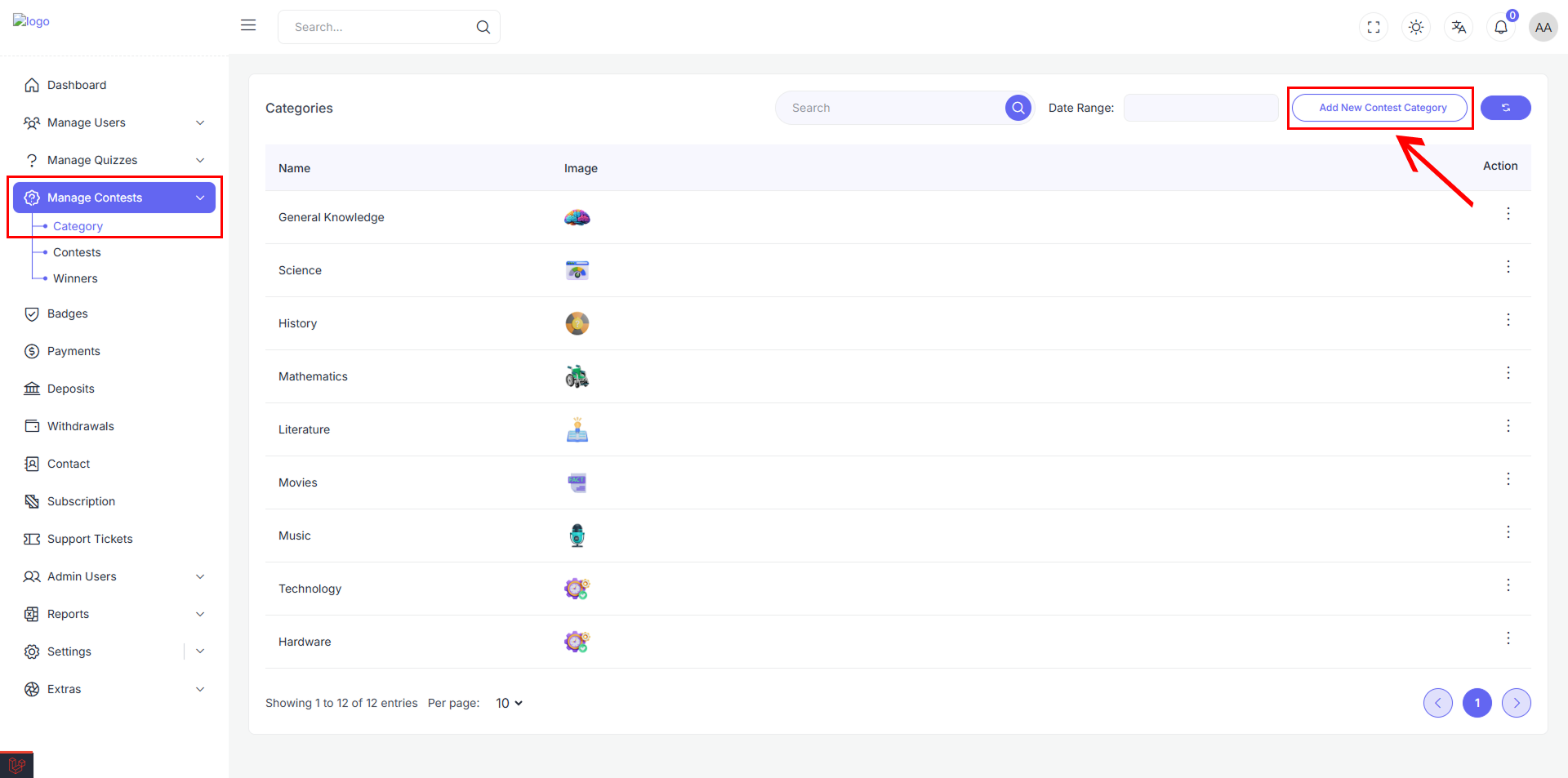
The Categories page shows all contests categories in a simple table. It helps admins easily manage and organize contests topics. You can use categories for different kinds of subjects to keep your Contests well-organized.
Each category displays:
- Title: The name of the contests category
- Image: Visual representation for easy identification
- Action: You can edit or delete each category to make changes or remove it.
Category Management Actions
Action Menu Options
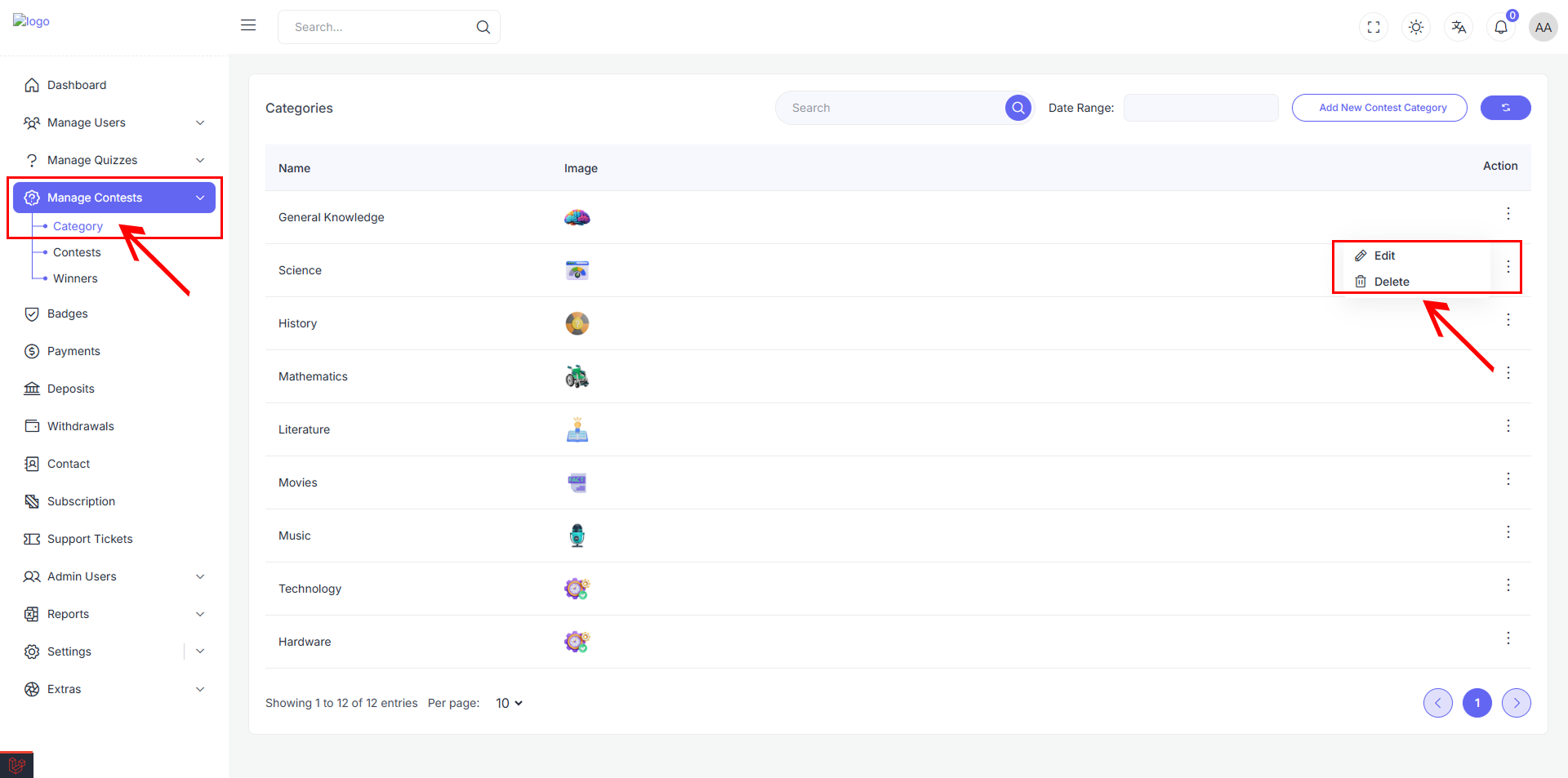
Each category row includes an action menu with the following options:
- Edit: Modify category details including title and image
- Delete: Remove category from the system (with confirmation)
Edit Category
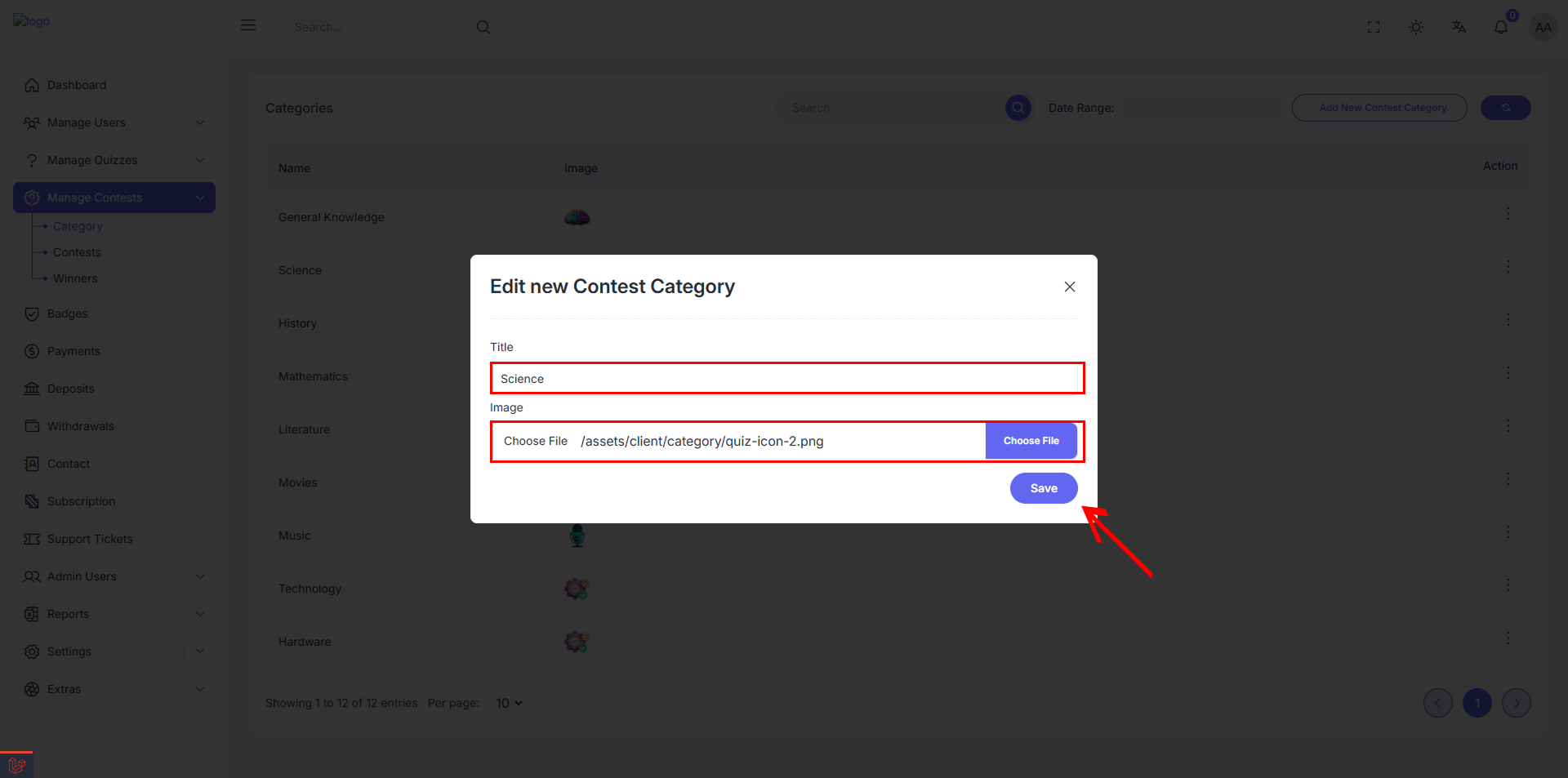
When selecting "Edit" from the action menu, a modal dialog opens allowing administrators to modify:
Edit Contests Category Modal
- Title Field: Update the category name
- Image Upload: Change the category image image
- File Path Display: Shows current image location
- Choose File Button: Browse and select new image
- Save Button: Apply changes to the category
Delete Category
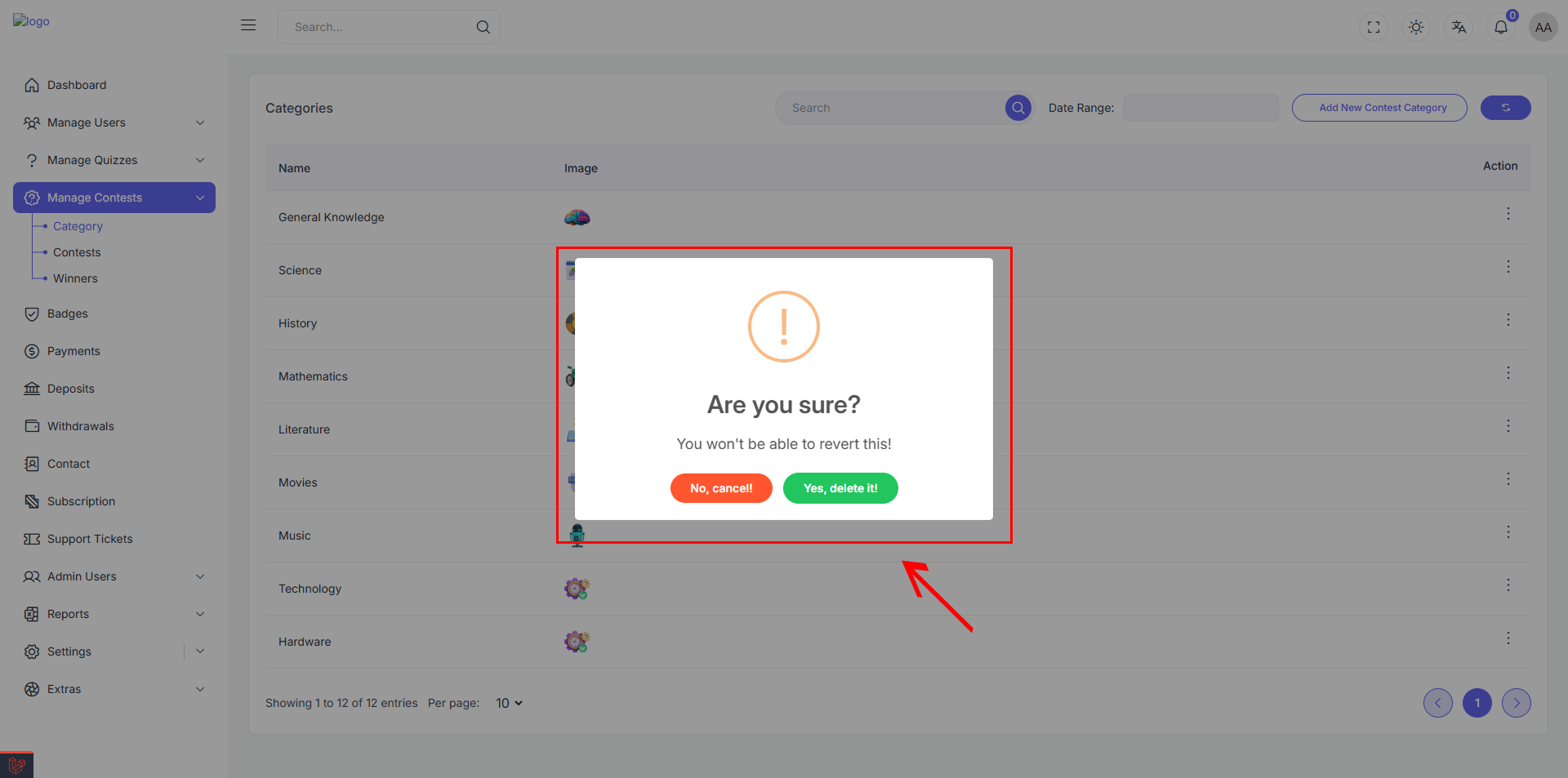
The delete function includes a safety confirmation dialog to prevent accidental removal:
Confirmation Dialog
- Warning Message: "Are you sure?" with additional context
- Warning Text: "You won't be able to revert this!"
- Cancel Option: "No, cancel!" button to abort the deletion
- Confirm Option: "Yes, delete it!" button to proceed with removal
This two-step confirmation process ensures categories are not accidentally deleted, protecting valuable contests organization structure.
Add New Category
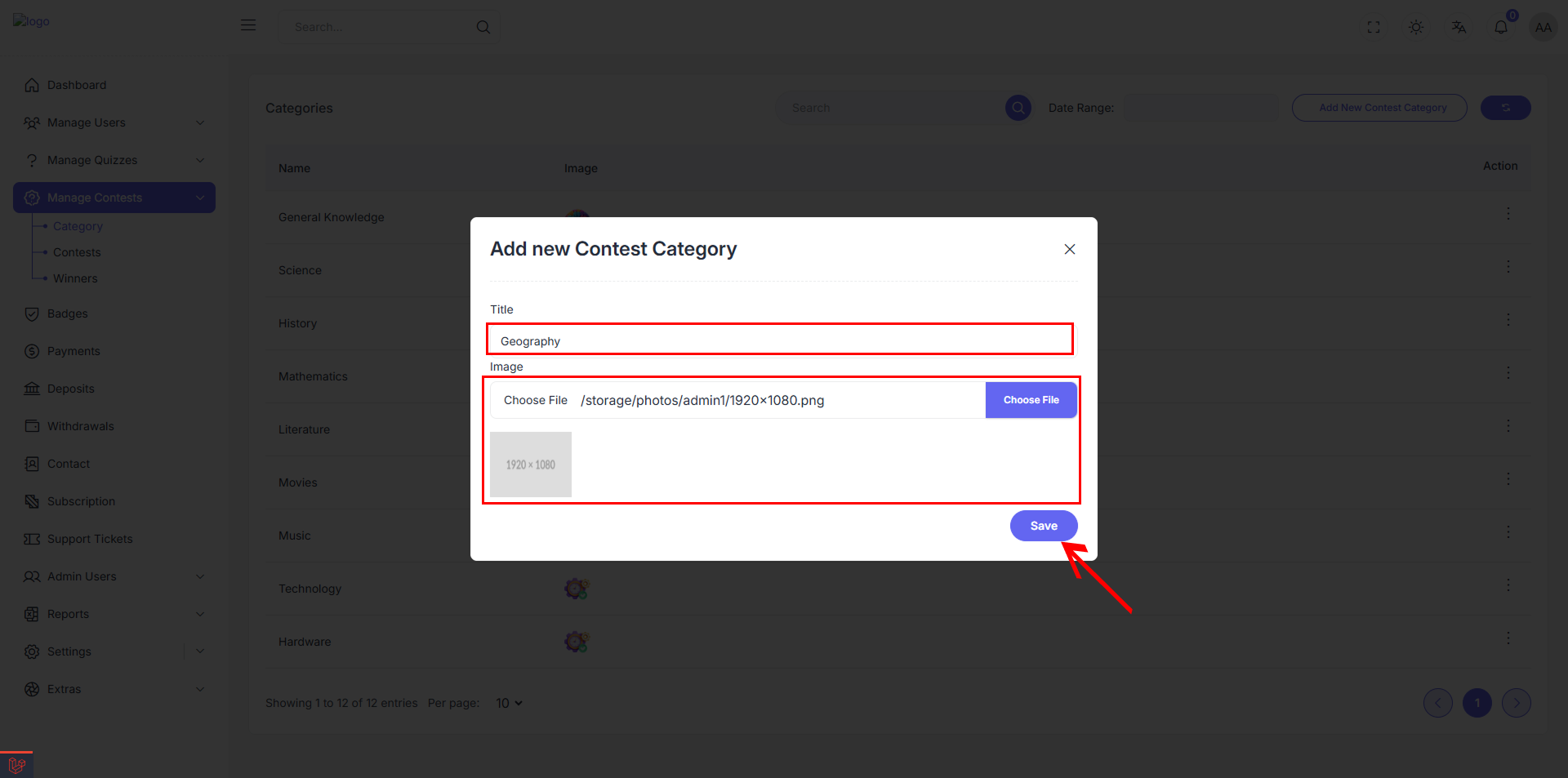
Administrators can create new contests categories using the "Add New Contests Category" button located in the top-right corner of the interface.
Add New Contests Category Modal
The creation modal includes:
- Title Field: Enter the new category name (e.g., "Geography")
- Image Upload Section:
- File selection area
- "Choose File" button for image upload
- Support for image files
- Save Button: Create the new category
This feature allows for unlimited expansion of contests categories to cover additional subjects or specialized topics as needed.